
One click, every dependency
The launcher reads the same manifest you see on the site, resolves every mod from Horizon's registry, and checks each SHA-256 before anything touches your disk.
20 packs В· 104 modsThe catalog is not a website you leave behind. It is the launcher's home screen: pick a pack, press install, and watch every mod arrive with a hash and a version you can check.
Installs, profiles, native builds, logs. The launcher does the work and tells you what happened in one sentence.
The launcher reads the same manifest you see on the site, resolves every mod from Horizon's registry, and checks each SHA-256 before anything touches your disk.
20 packs В· 104 modsEach pack gets its own folder, worlds, configs, screenshots, and logs. Removing one pack leaves the others alone.
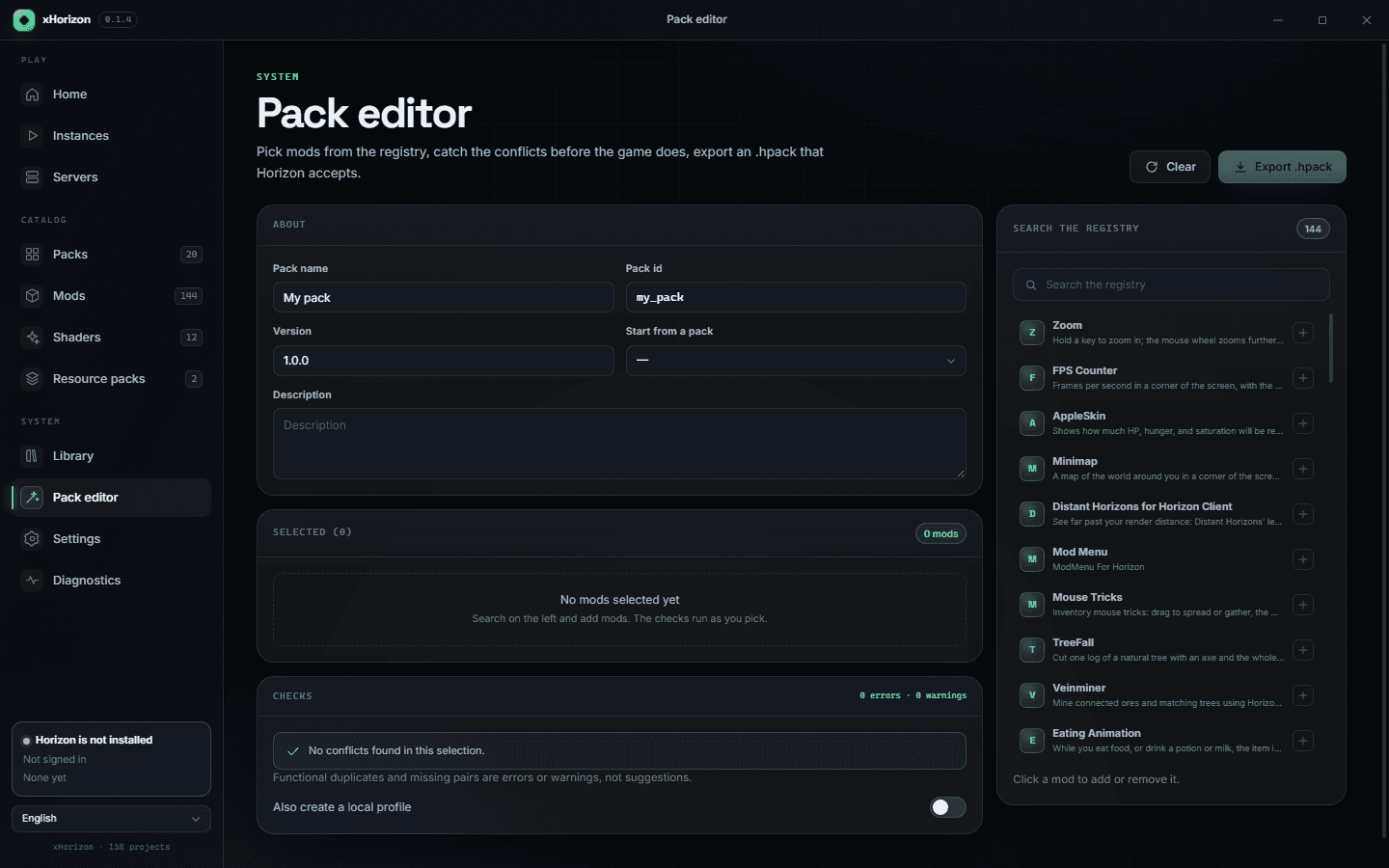
one folder per packImport .hmod, .hnmod, .hpack or .hshader files, or drop a whole mods folder: the launcher walks it, hashes every file and lets you switch each one off. The editor exports a pack back to .hpack.
files, folders, editorNative mods compile against the engine. The launcher shows each stage, the ETA, and a reason for every mod left out.
every left_out explainedSign-in goes through Horizon's official client. The launcher does not see your Microsoft password and does not write a token to a config file or a log.
delegated sign-inStart a server from a server-safe pack, share an invite code, and see who is online. UPnP is optional, and the launcher says when it is not available.
LAN + inviteA crash produces a readable report instead of a wall of stack traces. One click copies the log, pack version, and mod list into a bug report.
logs В· crash В· reproFilter by what you want to do, not by mod names you have to know.
Every mod is resolved, hashed, and placed in the right version.
One pass, with stages and a clear list of anything left out.
Worlds and settings stay inside the profile. Nothing leaks.
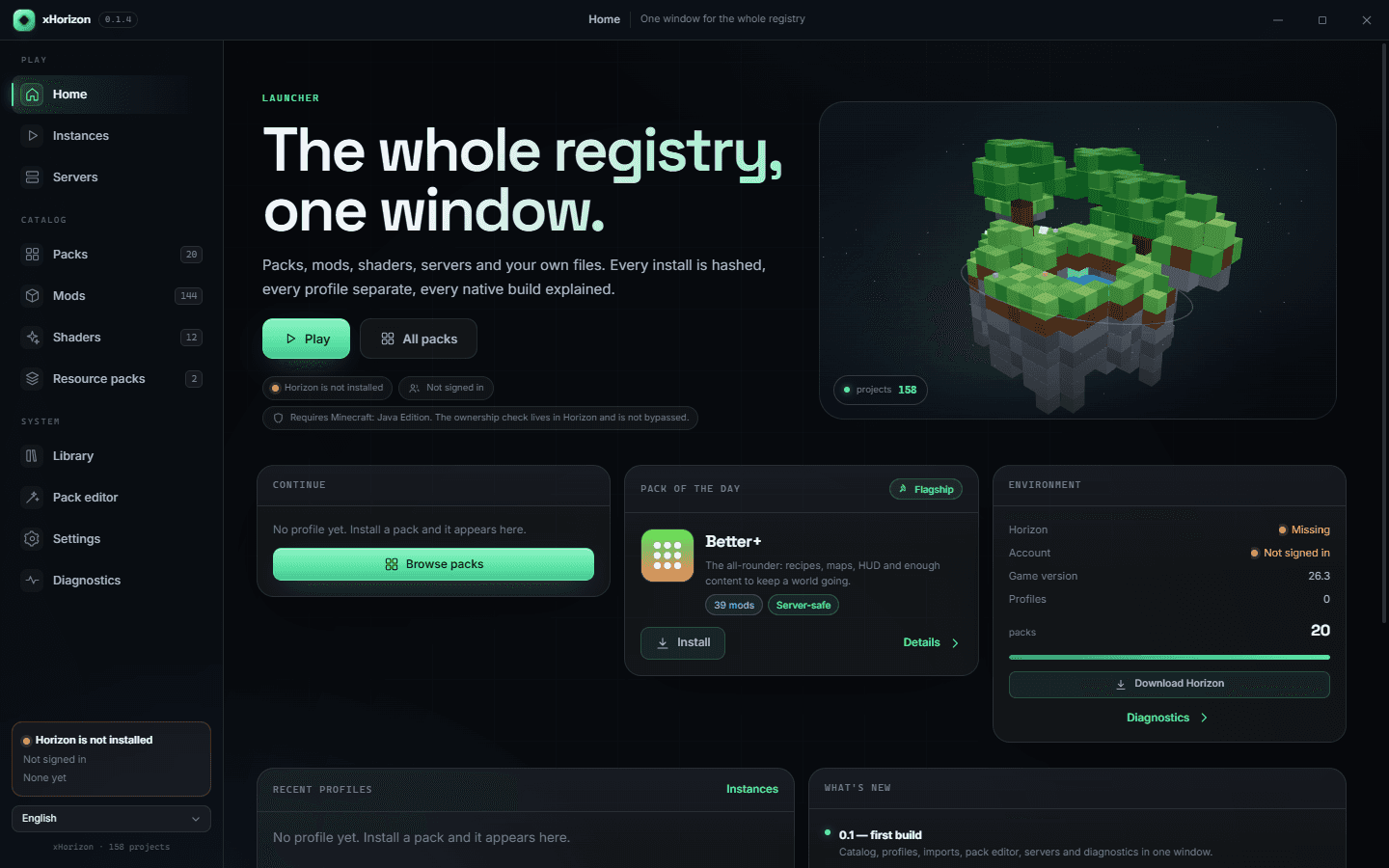
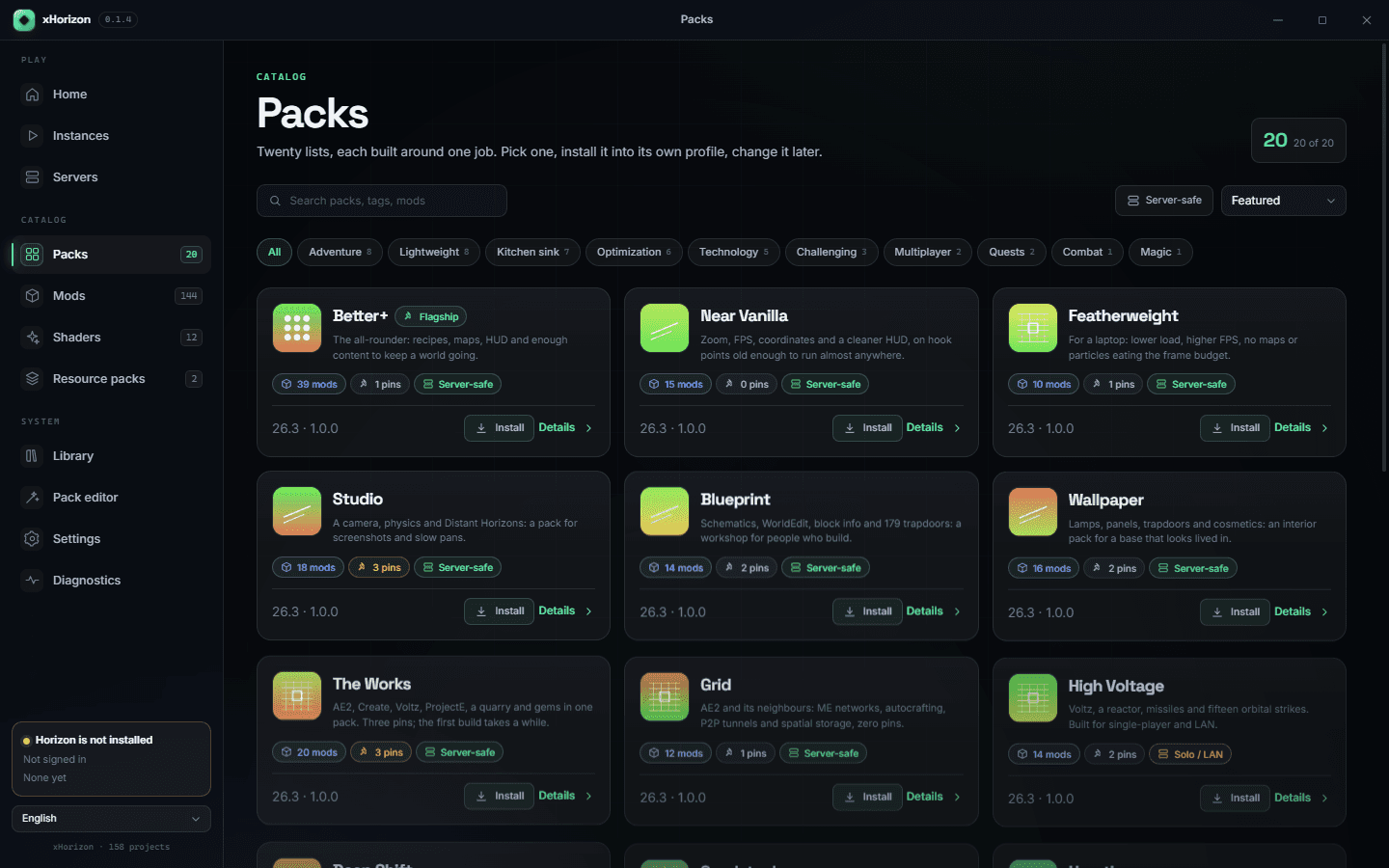
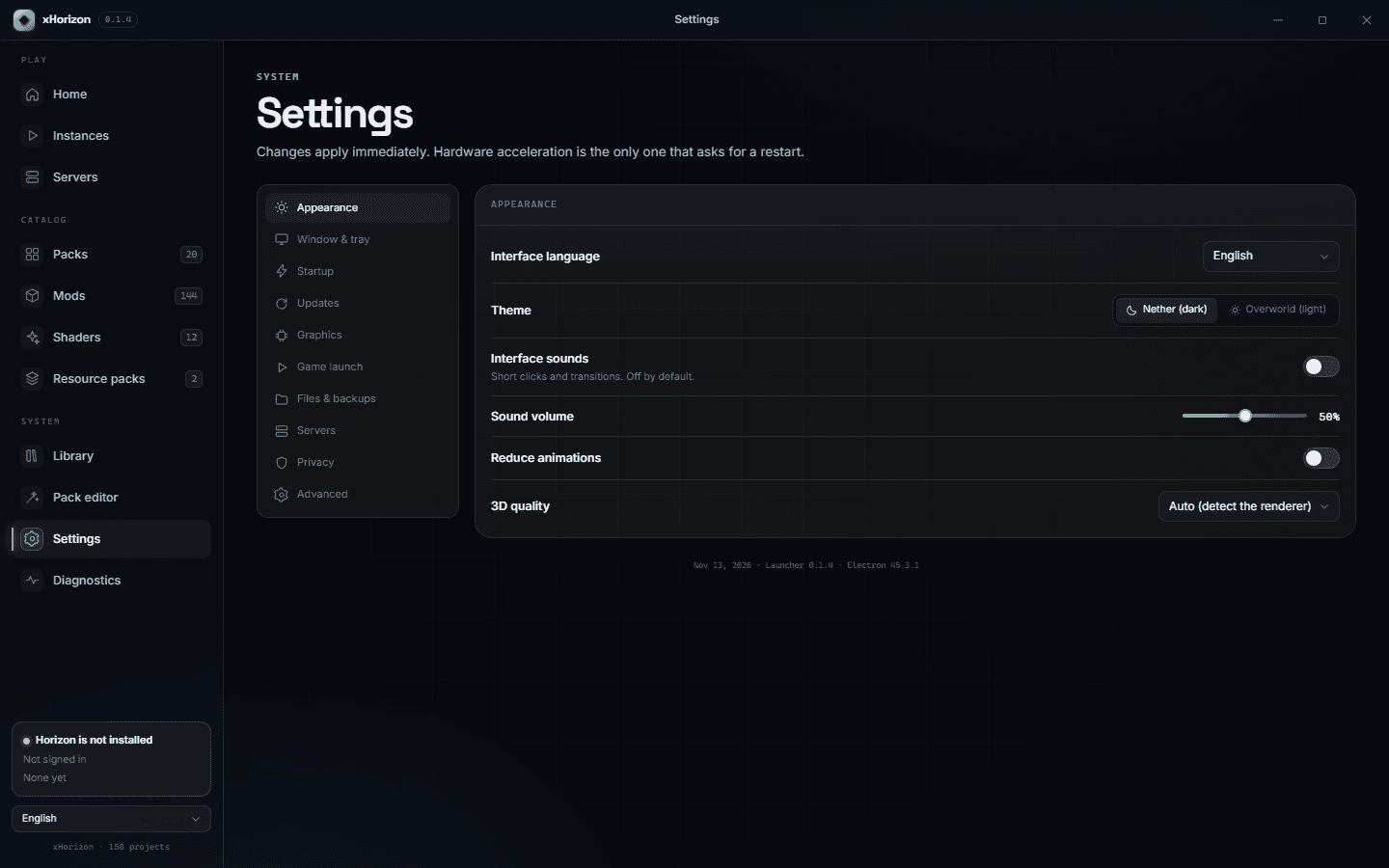
Screens from the 0.1.4 Windows build: the home scene, 20 packs with pins and server flags, the pack editor, and the settings that keep profiles and downloads apart.
Version 0.1.4 preview is on GitHub Releases. Unsigned, with a published SHA-256; Linux and the account test are next.